
Corporate & B2B
Operators & Owners
What it does
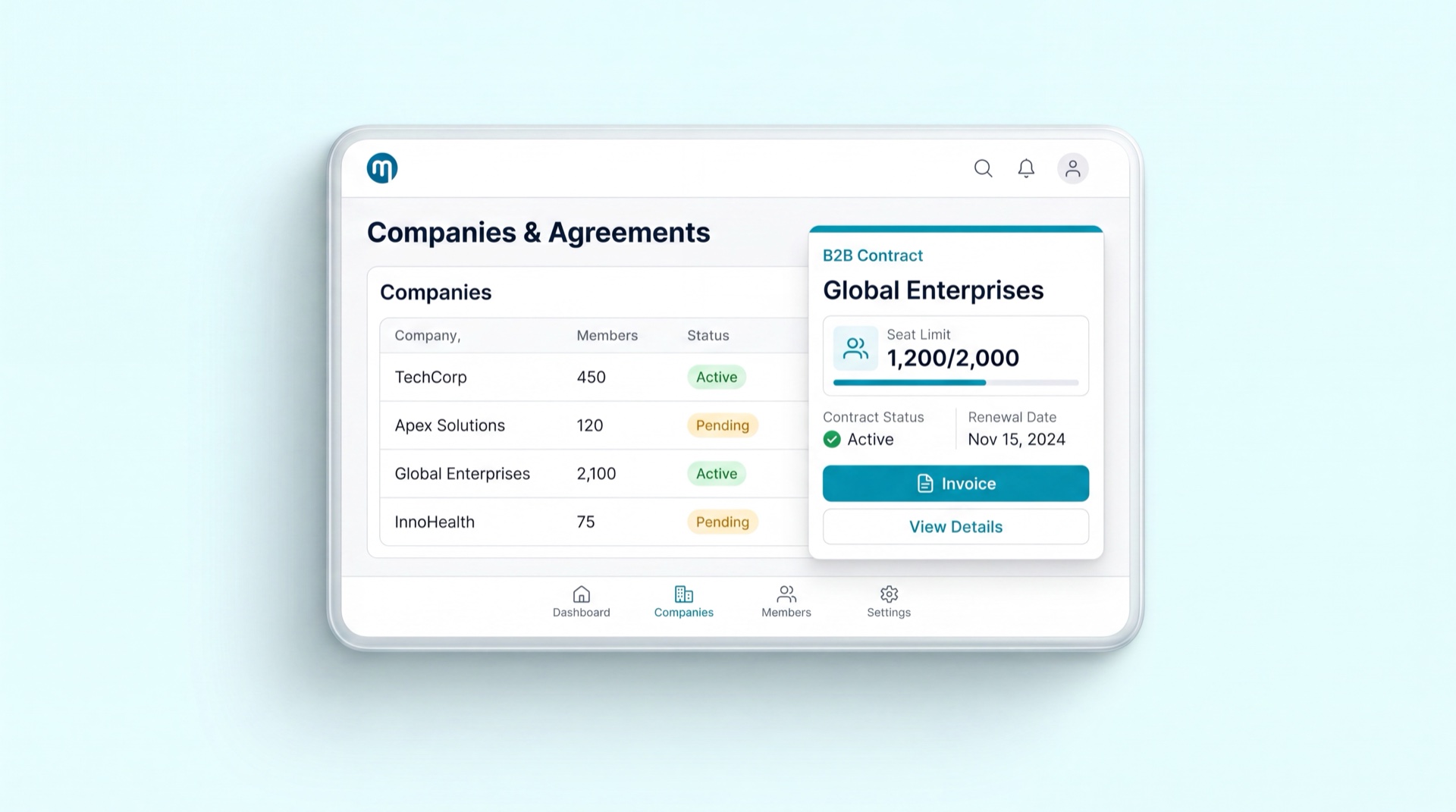
Corporate & B2B is how your gym sells memberships in bulk to companies for their employees, instead of one walk-in at a time. A company becomes a corporate account, passes a verification check, and signs a B2B contract with negotiated pricing and an agreed headcount. The company's HR team then gets its own portal to manage which employees are members, view its invoices, and reach its documents — all without touching your gym's main system. New corporate prospects come in through a dedicated leads pipeline so nothing slips through the cracks.
Key concepts
- Corporate account — the company itself as a customer of your gym. It's the parent record that the contract, the employee roster, and the invoices all hang off.
- KYC — know your customer: the verification a corporate account passes (company details and documents) before it's activated.
- B2B contract — the negotiated agreement: special pricing, code-gated plans (not available for the public to self-purchase), and an agreed headcount and billing arrangement.
- HR-admin portal — the company's own self-service area, used by its HR team to manage its employee roster and see its invoices and documents.
- Corporate leads — the pipeline of prospective companies, from first enquiry through to a signed account.
- Employer subsidy — the share of each seat's price the company pays. With a 40% subsidy the employee pays 60% at checkout and the company is billed the other 40%; at 100% the seat is fully sponsored and the employee pays nothing.
- Employer charges & auto-billing — every subsidised seat books the company's share as a charge; a periodic billing run rolls those charges into one invoice on the account's credit terms (or you can bill on demand).
- Statement & aging — the running ledger of a company's invoices and payments, and how much of the balance is current vs 1–30 / 31–60 / 61–90 / 90+ days overdue.
- Credit limit & hold — an optional ceiling on what a company can owe. When it's exceeded, or an invoice goes overdue, the account goes on credit hold and new employee sign-ups are blocked until it's settled.
- Department / cost-center — a grouping of a company's employees (e.g. Engineering, Sales) so the employer sees headcount and spend broken down by cost-center.
Main tasks
Onboard a corporate account (KYC)
- From a corporate lead, open or create the corporate account.
- Capture the company details and upload its verification documents.
- Run the KYC check and confirm the company is verified.
- Activate the account — it's now ready for a contract.
Set up a B2B contract & pricing
- Open the corporate account and create a B2B contract.
- Set the negotiated pricing and the code-gated plans this company's employees can use.
- Enter the agreed headcount and billing terms.
- Activate the contract — its plans are now reserved for this company, not the public.
Use the HR-admin portal (roster + invoices)
- The company's HR signs in to the HR-admin portal.
- They add or remove employees on the roster — each becomes (or stops being) a member.
- They review the company's invoices and download any documents they need.
Set who pays — employer subsidy
- On the corporate account, set the employer subsidy % alongside the negotiated discount.
- When an employee joins, the price is split automatically: the employee pays their share at checkout, and the company's share is booked as a charge.
- A 100% subsidy means the seat is fully company-paid — the employee pays nothing and the seat activates once verified.
Bill the company & track what's owed
- Employer-share charges collect on the account as employees join.
- Run Bill now (or let the monthly billing run do it) to roll the outstanding charges into a single invoice on the company's credit terms.
- Open the Account statement to see the outstanding balance, the aging breakdown, and available credit — and download the statement as a PDF.
Collect payment & reconcile
- When the company pays by bank transfer or cash, record it against the invoice with Record payment — the invoice settles and any credit hold lifts.
- Or the company's HR can pay online from their portal; the invoice settles automatically once the payment clears.
- Partial payments reduce the balance; the invoice is marked paid once fully covered.
Organise by department & see spend
- Create departments (cost-centers) on the account and assign each employee to one.
- Open Spend by department to see headcount and the company's spend broken down by cost-center.
Tips
INFO
Code-gated B2B plans never appear in your public catalogue or member app. Only employees on the company's roster, under its contract, can be put on them.
TIP
Finish KYC before building the contract — an account must be verified and activated before its plans and pricing can go live.
WARNING
Set a credit limit to protect your cashflow: once a company is over its limit or has an overdue invoice, new employee sign-ups are automatically blocked until it pays — no manual chasing required.
Related modules
Operator Console · Membership Management · Finance & Payments · System & Users