
Finance & Payments
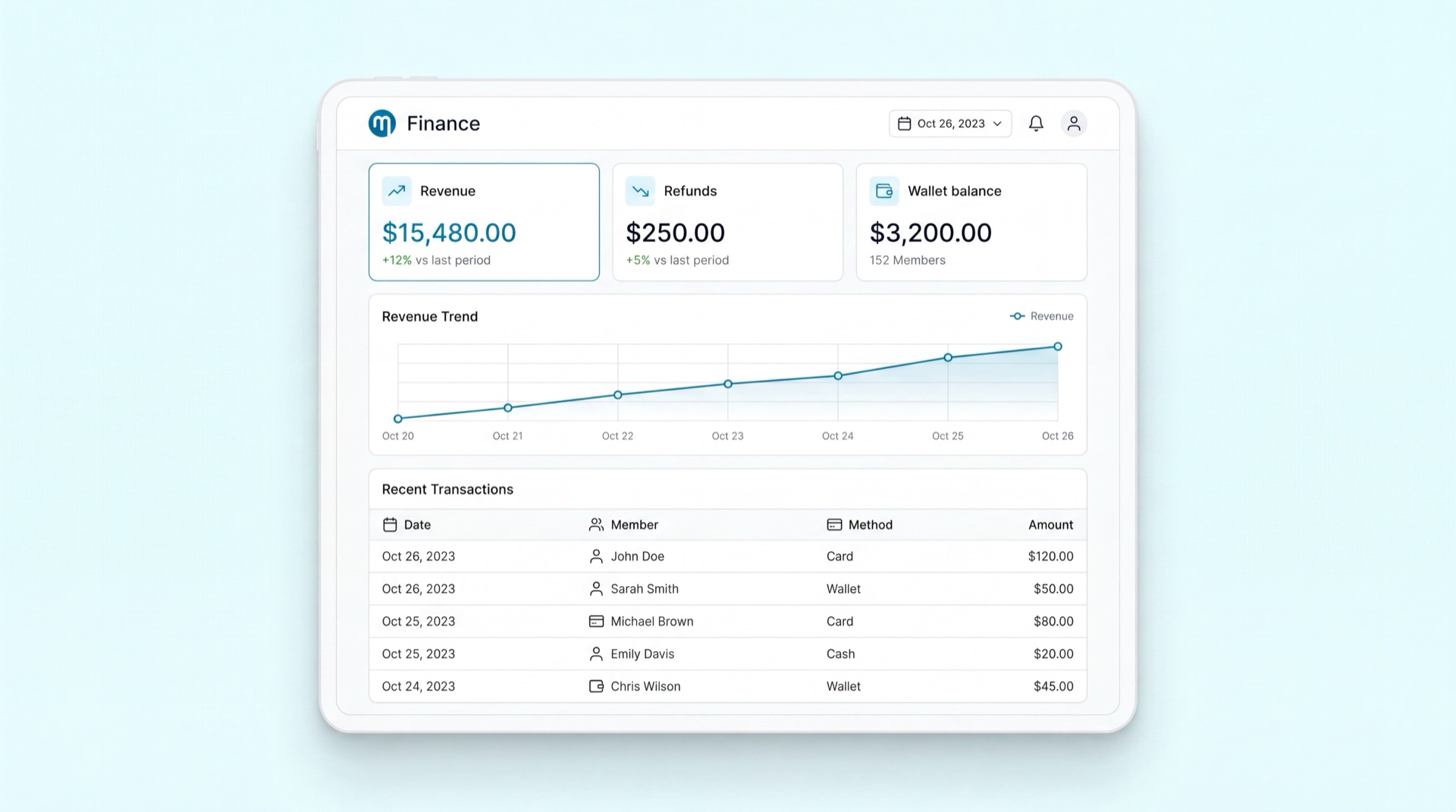
Finance & POS
What it does
Finance & Payments is how money moves through Memvera. It covers the payment methods you accept (cards, Mada, wallets, BNPL, cash, and bank transfer), how a sale is only confirmed once the gateway truly settles, the fees your brand charges, refunds, the member wallet, and the financial records that feed your ERP. It keeps memberships and accounting in sync so a member is never charged without an active contract — and never active without a confirmed payment.
Key concepts
- Payment gateway — the connection to Saudi providers (Mada, Visa, Mastercard, Apple/Google/Samsung Pay via HyperPay, plus BNPL like Tabby and Tamara). New providers can be added by configuration, not custom code.
- Tokenized card — a securely stored card on a member's profile. Recurring plans require at least one valid tokenized card; members can mark a primary and a backup.
- Settlement (loop closure) — the contract or sale only activates after the gateway confirms the payment settled. No money taken without a contract; no contract without money.
- Fee catalogue — your brand's master list of policy fees (transfer/rewrite, paid freeze, replacement wristband, cooling-off deduction), each with its amount, VAT treatment, and active dates.
- Member wallet — a prepaid balance a member tops up and spends in-club. It can be funded but never cashed out.
- Dunning — the automated retry-and-escalate process when a recurring charge fails, ending in suspension after the grace period.
- Refund — issued back to the original card or to the member wallet, following cooling-off and cancellation rules.
Main tasks
Set up payment methods and fees
- Go to Manage → Payment Config (or Finance settings).
- Enable the payment methods your brand accepts — card/Mada, digital wallets, BNPL, cash, and bank transfer.
- Open the Fee catalogue and set each fee (transfer, paid freeze, replacement, cooling-off deduction) with its amount and VAT.
- Save. These methods and fees are now available across reception, POS, and the member app.
Handle a failed recurring payment (dunning)
- When a monthly charge fails, Memvera automatically retries the backup card, then the configured retry attempts.
- The member is notified by push/SMS/email, and a staff follow-up task is created.
- If still unpaid after the grace period, the membership is suspended or cancelled automatically — no manual chasing needed.
Process a refund
- Open the member's contract or transaction and choose Refund.
- Pick a reason and the destination — original card or member wallet.
- Confirm. Cooling-off and cancellation rules are applied automatically, and the refund syncs to your finance records.
Tips
TIP
For any monthly recurring plan, the member must have a working tokenized card on file. Memvera blocks deleting the last card while the plan is active — this protects you from "no card, unpaid membership" situations.
INFO
A sale, activation, or stock deduction only happens after the gateway confirms settlement. If a callback is missed, a background reconciliation check re-confirms the status so a member is never charged without getting their membership.
Related modules
Membership Management · Reception & POS · Retail Sales · Reporting & Analytics