
Reception & POS
Finance & POS
What it does
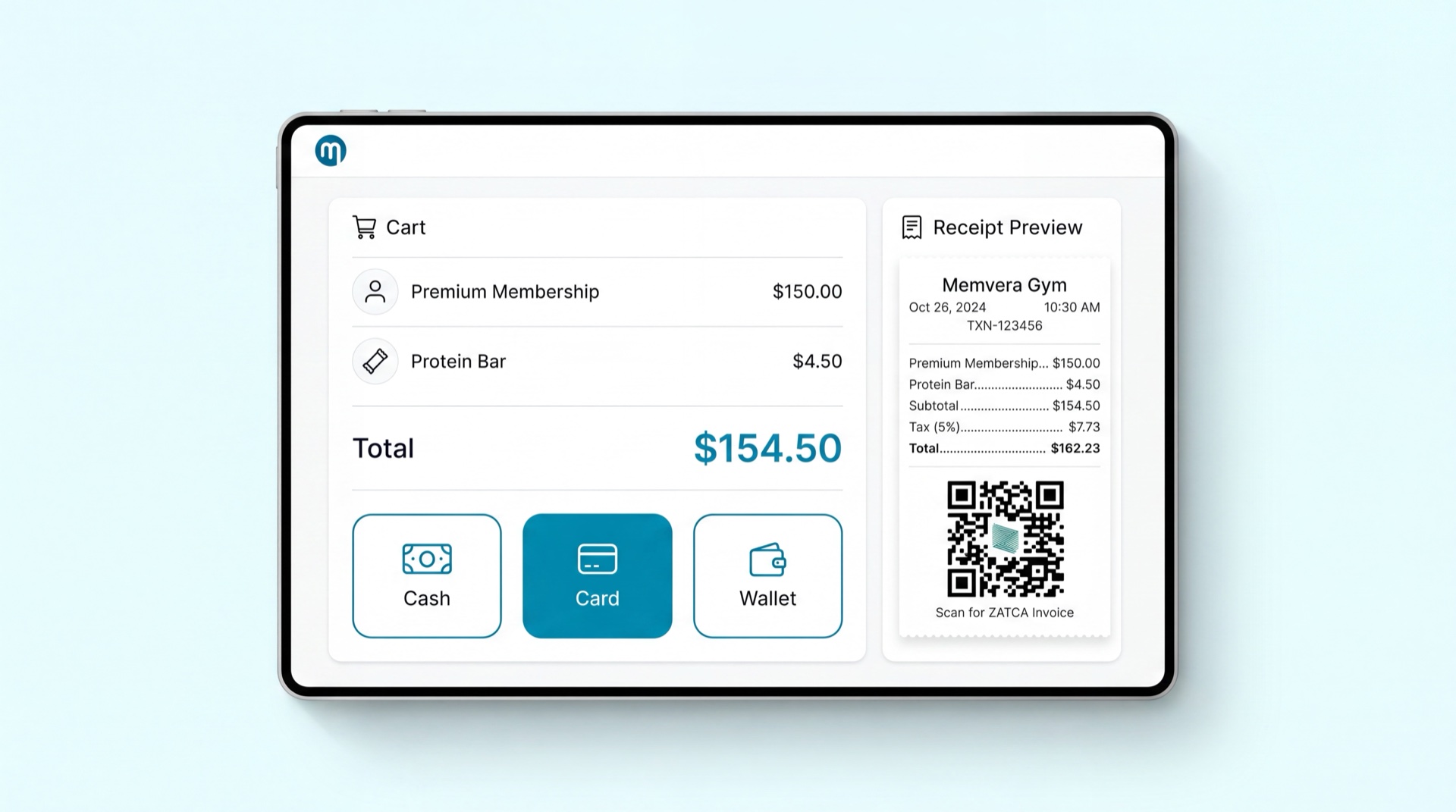
Reception & POS is the front-desk counter app — a single screen for every in-club sale. From here your team sells memberships, day and guest passes, add-ons, retail and smoothies, collects renewal and freeze fees, and handles voids and returns. It links each sale to a member, takes payment across any tender, prints a ZATCA receipt, provisions gate access, and runs the cashier's shift from open to blind cash-up. The reception desk and the smoothie bar use the same POS — one catalogue, one inventory, one ledger.
Key concepts
- Unified launcher — one POS interface with quick-actions (new membership, renewal, day pass, retail, freeze fee) shown by the staff member's role.
- Mixed cart — combine different items in one cart and one payment (e.g. a new membership + PT package + protein bar) on a single receipt.
- Member search — fast lookup by name, ID, mobile, RFID wristband, or agreement number, with alerts (debt, frozen, minor) shown up front.
- Split tender — one sale paid by several methods at once (cash + card + wallet), itemised on one ZATCA receipt.
- Shift — a cashier's session: opening float, sales, and a blind cash-up at close (you count first, then the system reveals the expected total).
- Manager override — discounts, voids, or hard-block exceptions that need a manager's approval, logged with reason and approver.
- Terms acceptance — when a membership plan is added to the cart, View terms opens the plan's terms (auto-generated commercial clauses plus the operator's notes); the cashier must tick Accept the terms before the membership sale can complete. See Agreement Generation.
- Gender & branch guard — if the plan or member gender doesn't match the club's gender designation (e.g. a male member at a ladies-only branch), the till blocks the sale with a clear message to change the branch, and it can be routed to a manager override queue.
Main tasks
Open and close a shift
- At the start of your shift, open the POS and declare your opening float (the cash you start with).
- Sell throughout the shift; cash and card totals are tracked automatically.
- At close, count the drawer and enter the counted total — this is a blind cash-up, so the system reveals the expected total only after you enter yours.
- Any difference is flagged with a reason code and the shift locks; no sales can post under a closed shift.
Sell to a member at the counter
- Search for the member (or create a walk-in prospect); their 360° profile and any alerts open in-line.
- Add items to the cart — membership, add-on, retail, or a fee — and attribute the sale to the selling employee.
- For a membership, open View terms to show the plan's terms and tick Accept the terms with the member — the sale can't be completed until the terms are accepted.
- Take payment by one method or split across several; the membership activates only once the gateway settles.
- Bind the RFID wristband and capture the biometric/photo where required, then print or send the ZATCA receipt.
Renew, freeze, or refund at the counter
- Find the member and pick the action — renewal payment, freeze request, cancel notice, or refund.
- The guided sub-flow pre-fills the member's context and enforces eligibility (grace windows, gender rules).
- Collect any fee, capture signature where needed, and the action routes to the correct approval chain automatically.
Tips
TIP
You never have to leave the POS to complete a renewal, freeze, or reactivation — all counter actions are reachable from the one launcher, with the member's context pre-filled.
WARNING
If the selected plan or member gender doesn't match the branch's gender designation, the till won't let the sale through — the message tells the cashier to switch to a matching branch, or send the sale to a manager for override. This keeps a male membership off a ladies-only club (and vice versa).
INFO
During a connectivity outage the POS keeps working for cash retail sales and member check-in. New-membership sales, card/wallet/BNPL payments, and access provisioning are paused until the connection returns rather than failing silently.
Related modules
Finance & Payments · Retail Sales · Membership Management · Reporting & Analytics